SuiteDash setup, planned around how you work

We plan and build your SuiteDash account around your real processes, so it works on day one.

Hands configuring a generic portal settings screen on a laptop

This is for you if SuiteDash is bought but not working yet

  • You bought SuiteDash months ago and still run clients from your inbox and a spreadsheet.
  • Your account was started but never finished, and nobody is sure what is half-built.
  • You want it done properly the first time, before clients ever see the portal.

What a SuiteDash setup includes

The exact scope depends on how your business runs. These are the parts we usually build.

CRM structure
Contacts, companies, custom fields, tags and statuses organized so the right information is easy to find.
Portal branding and white label
Your logo, colors, login page and custom domain, so clients only see your brand.
Lead and sales pipelines
Stages for inquiries, proposals and follow-ups, so no opportunity sits unanswered.
Onboarding FLOWs and forms
Intake forms, agreements, file requests and welcome steps that new clients complete on their own.
Proposals, contracts and invoices
Proposal and contract templates with e-signatures, invoices, and payment workflows.
Projects and task templates
Reusable project structures with tasks and assignments, so every job starts the same way.
File sharing
Folders and requests so clients upload and download documents in the portal, not by email.
Automations
Welcome emails, task creation, status changes and reminders that run without anyone remembering them.
User roles
Staff and client permissions, so each person sees exactly what they need and nothing else.
Training and documentation
A walkthrough for your team and notes on how the system is set up, so it stays maintainable.

Estimate your SuiteDash setup

Choose what you need. You’ll see a starting price range based on our published packages, which we confirm after a call.

What do you need?

How our packages map to what you need

  • SuiteDash audit and clean-up, from $300: fixing or cleaning up an existing account.
  • Focused SuiteDash setup, from $600: branding, CRM structure and one onboarding flow.
  • Standard SuiteDash implementation, from $1,200: adds pipelines, billing, projects and core automations.
  • Advanced SuiteDash implementation, from $2,000: adds integrations, migration, several departments or team training.

How a SuiteDash setup runs

  1. Understand how you work

    We learn how you manage leads, clients, onboarding, projects, communication, billing and internal work.

  2. Plan the structure

    We map the SuiteDash structure, workflows and automations for the agreed scope.

  3. Build, automate and test

    We configure the CRM, portal, forms, pipelines, projects and billing, then test the important client and team journeys.

  4. Hand over and support

    We walk your team through it and can keep supporting the setup as your business changes.

SuiteDash setup packages

Focused SuiteDash setup

From $600

The core of the system, for a small team that needs to start right.

  • CRM structure and custom fields
  • Branded client portal
  • One onboarding flow with forms
  • Handover walkthrough

Timeline: 1–2 weeks

Talk to us about a focused setup

Our recommendation

Standard SuiteDash implementation

From $1,200

A complete setup for a growing service business.

  • Everything in the focused setup
  • Lead and sales pipelines
  • Proposals, contracts and invoicing
  • Project and task templates
  • Core automations

Timeline: 2–4 weeks

Book a consultation

Advanced SuiteDash implementation

From $2,000

Multi-department builds with deeper automation.

  • Everything in the standard implementation
  • Multiple departments and user roles
  • Integrations with your other tools
  • Advanced automations
  • Team training

Timeline: 4–8 weeks

Talk to us about an advanced build

Starting prices. We review your requirements before confirming the final scope, price and timeline. Typical scope shown; exact inclusions are agreed in writing.

SuiteDash setups we have built

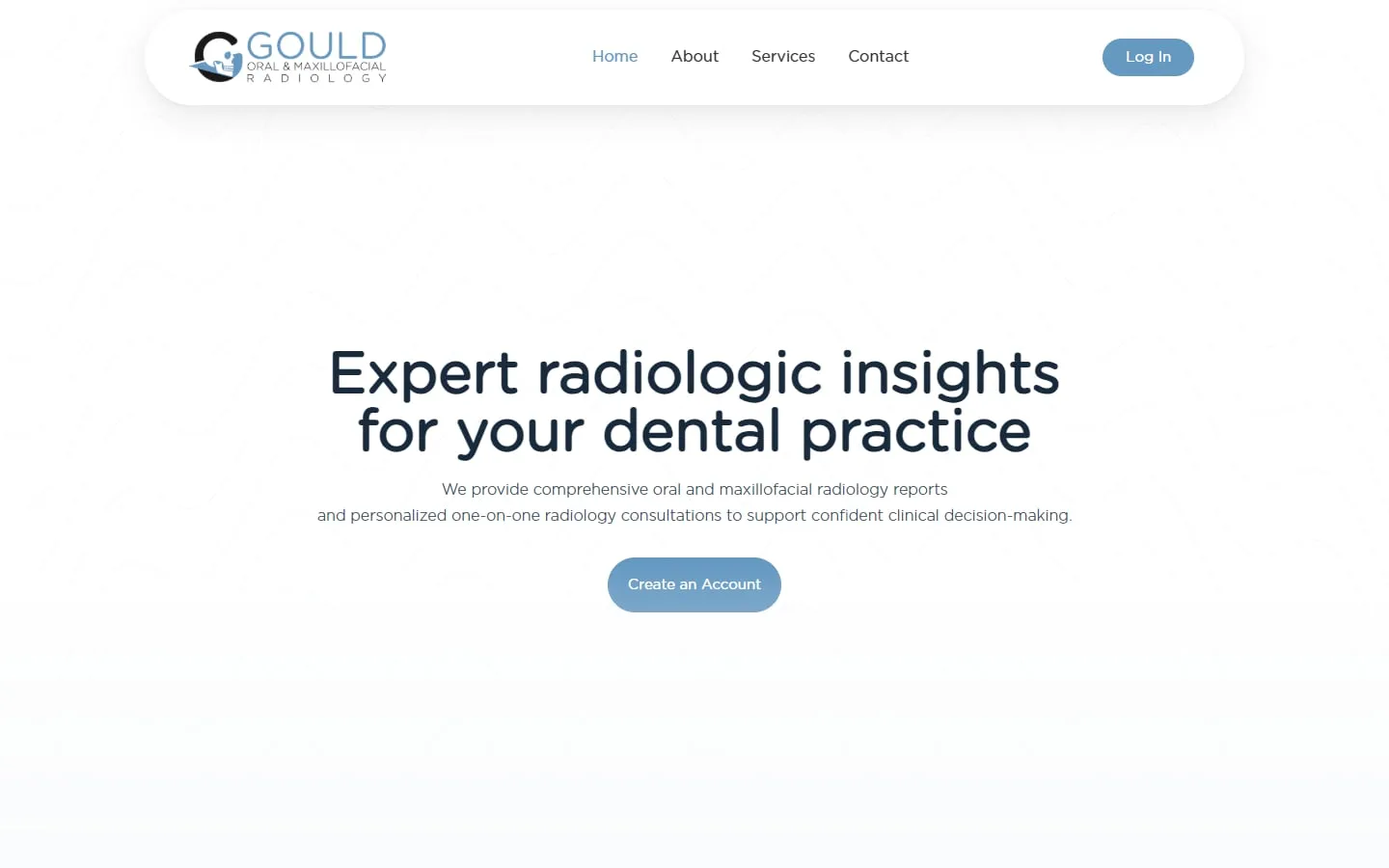
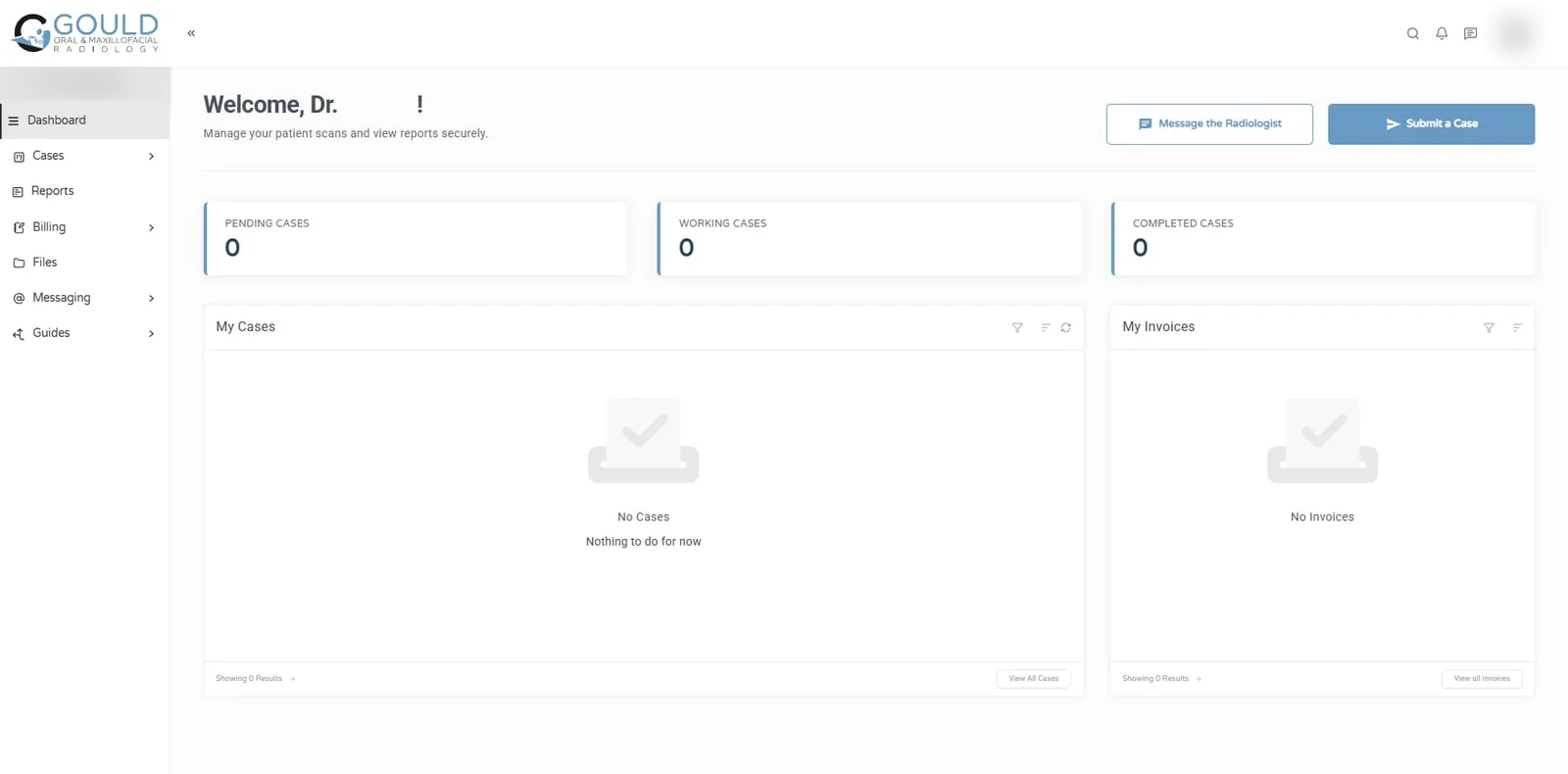
The Gould Radiology portal dashboard: pending, working and completed cases, with buttons to submit a case or message the radiologist
The SuiteDash portal we built for Gould Oral and Maxillofacial Radiology.

Jonna and her team helped me develop my company's logo and brand identity, design and build my business website, and create a customized SuiteDash portal tailored to the unique needs of my radiology practice. The quality of her work exceeded my expectations at every stage of the process!

Dr. Ellen GouldGould Oral and Maxillofacial Radiology

SuiteDash setup, explained

How does SuiteDash setup work, step by step?

A good SuiteDash setup starts with your process, not the software. Before touching settings, write down how a client moves through your business: first inquiry, proposal, onboarding, delivery, billing and follow-up.

Then build in this order, because each layer depends on the one before it. Doing it out of order is the most common reason accounts get rebuilt.

  • Branding and white label: logo, colors, login page and custom domain.
  • CRM structure: custom fields, tags and statuses for contacts and companies.
  • Pipelines: the stages a lead passes through before becoming a client.
  • Portal: what each type of client sees when they log in.
  • Onboarding FLOWs and forms: the steps a new client completes on their own.
  • Billing: invoice templates, payment settings and recurring charges.
  • Projects and tasks: templates so every job starts the same way.
  • Automations: last, once the pieces they connect are in place.

How long does SuiteDash setup take?

It depends on scope more than on SuiteDash itself. A focused setup covering the CRM, portal and one onboarding flow is a much smaller job than a multi-department build with billing, projects and integrations.

The biggest variable is usually decisions, not configuration. Setups move quickly when someone on your side can answer questions about fields, stages and client journeys within a day or two. We confirm a timeline in writing once the scope is agreed.

Hiring help vs doing it yourself: what does SuiteDash setup cost?

Our setups start at $600 for a focused setup, $1,200 for a standard implementation and $2,000 for advanced, multi-department builds. An audit and clean-up of an existing account starts at $300.

Doing it yourself costs time instead of money. SuiteDash has a lot of options, and most self-built accounts we review have the same problems: fields nobody fills in, automations that fight each other, and a portal clients do not understand. If your time is worth more than the setup fee, hiring help usually pays for itself in the first few months.

What are the most common SuiteDash setup mistakes?

Most problems we fix come from building features before deciding how the business should run. The usual ones:

  • Creating custom fields for everything, so records become too long to maintain.
  • Building automations before the pipeline stages they depend on are settled.
  • Showing clients every portal feature instead of the few they actually need.
  • Skipping the custom domain and branded emails, so clients see an unfamiliar brand.
  • Leaving no documentation, so nobody knows why a setting exists a year later.

Is there a SuiteDash setup checklist I can follow?

Yes. Our SuiteDash setup checklist lists every step in the order above, with what to decide before each one. It is free to download and works whether you build the account yourself or with us.

Do I need to start again if my account is already half-built?

Usually not. If your account is disorganized, overly manual or hard to maintain, we review what is already there before recommending changes. Often a clean-up of the CRM, pipelines and automations is enough, which is why we offer audits separately.
Questions about SuiteDash setup

What is included in a SuiteDash setup?

A setup can include CRM structure, custom fields, pipelines, forms, onboarding, the client portal, proposals, contracts, invoices, projects, tasks, automations, dashboards and integrations. The exact scope depends on how your business operates and what you need SuiteDash to manage, and we agree it in writing first.

Can you set up SuiteDash from scratch?

Yes. We can plan and build a new SuiteDash account from the beginning, based on your business processes and the scope we agree. Starting fresh is often the easiest case, because there are no old fields or automations to untangle before building the right structure.

Can you improve my existing SuiteDash setup?

Yes. We review your current account and improve areas such as CRM organization, automations, client portals, onboarding, pipelines, forms, projects and workflows. We only rebuild what gets in your way, so your team keeps working while the changes go in.

Can you customize a SuiteDash client portal?

Yes. We configure and brand your client portal and organize the client-facing experience around the features included in your setup, so clients see a clear dashboard with only the documents, forms, invoices and messages that apply to them.

Can SuiteDash connect to my website or other systems?

In many cases, yes. Depending on the platforms involved, we connect SuiteDash with website forms and other tools using its built-in options, Zapier, Make, Pabbly, APIs or webhooks, so information is entered once and moves where it needs to go.

How much does SuiteDash setup cost?

Pricing depends on the size and complexity of the build. It starts at $300 for an audit or clean-up, $600 for a focused setup and $1,200 for a standard implementation, and advanced multi-department builds start at $2,000. We review your requirements before confirming the price.

Talk to us about your SuiteDash setup

30 minutes. No obligation. You’ll leave with a plan.

Book a consultation