

The short answer: SuiteDash’s pricing page doesn’t list a live demo. It offers a 14-day free trial of the Pinnacle plan, with all features and no credit card (checked 16 October 2026). Below, you can see what a finished SuiteDash portal looks like to a client, using a real build shared with the client’s permission.
The quickest ways to see SuiteDash
- Start the free trial (opens in a new tab). You get an empty account to explore.
- Book a Wizarding Session. SuiteDash includes one live session with a SuiteDash Wizard on the Thrive and Pinnacle plans.
- Look at real builds, like the one on this page and in our case studies.
- Talk through your own process with an implementer who can show how it maps onto SuiteDash.
What clients see: a real SuiteDash portal
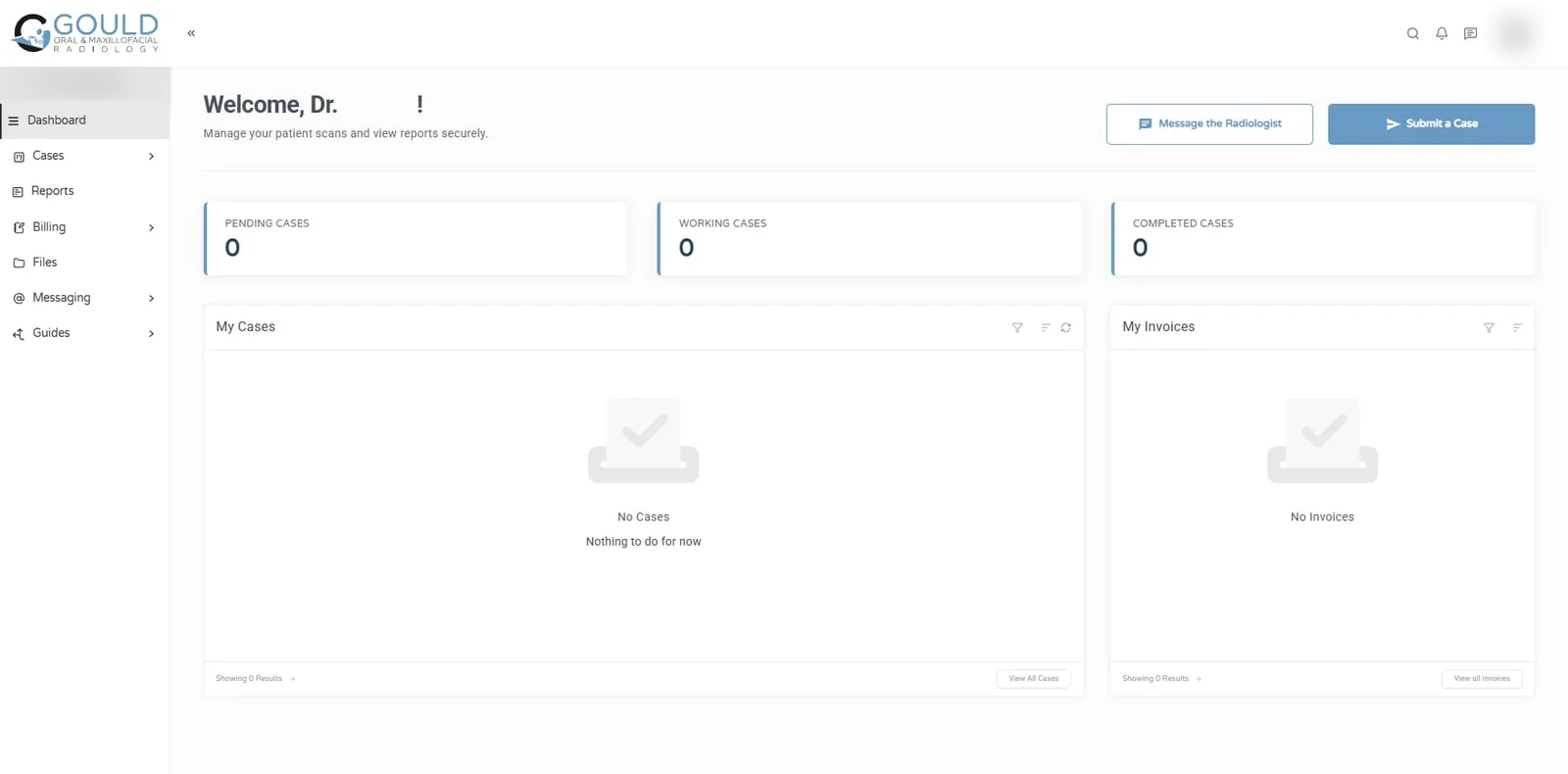
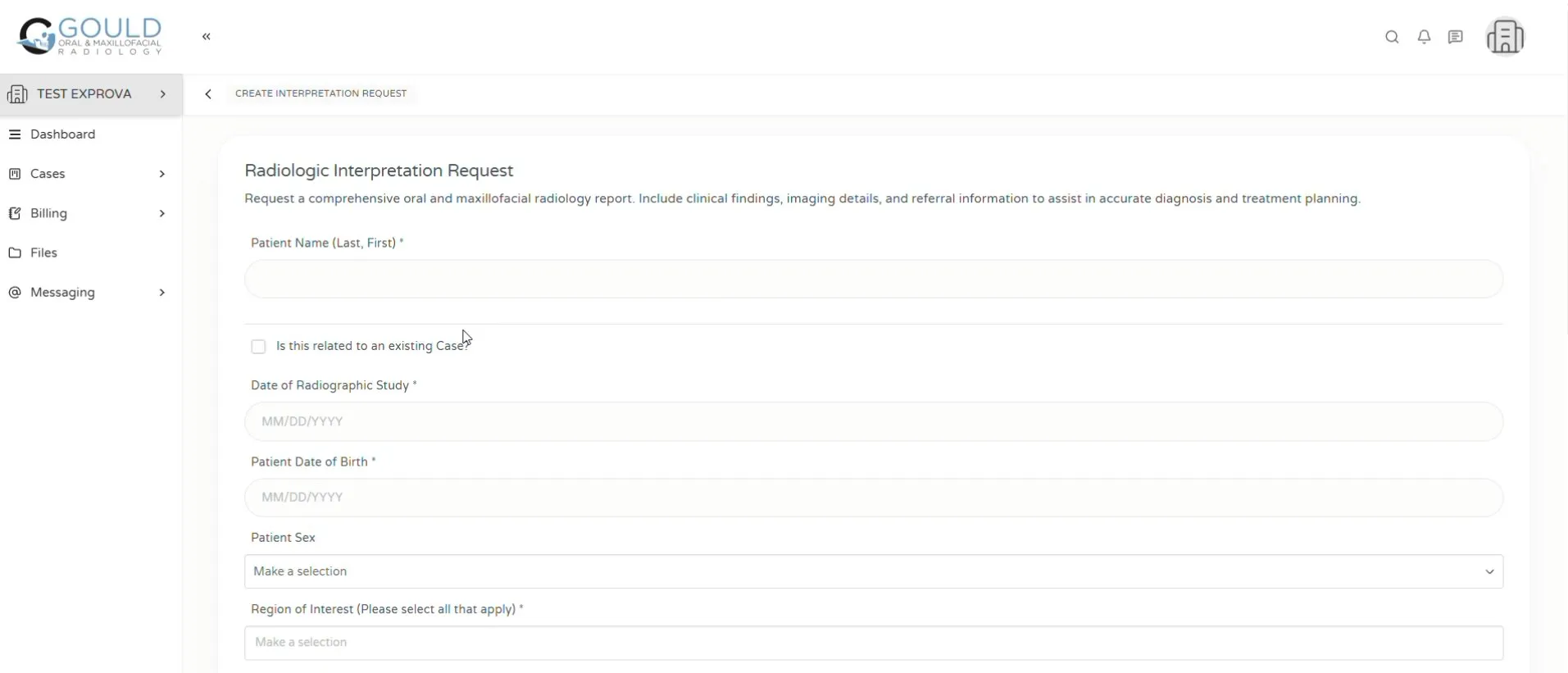
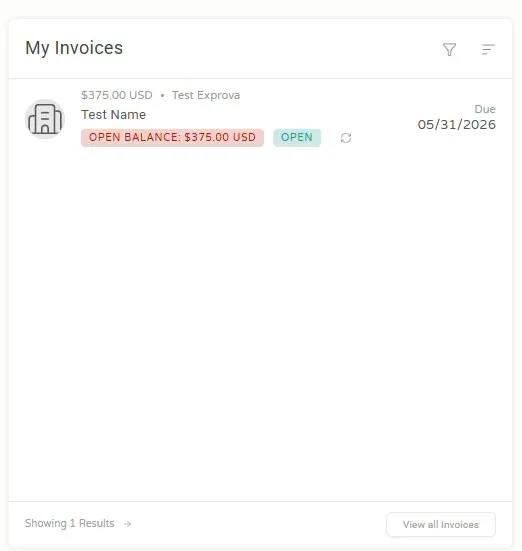
These screens come from the portal we built for Gould Oral & Maxillofacial Radiology. Referring dental offices use it to send cases and pay invoices. They are shown with Dr. Gould’s permission.

What your team sees
Behind the portal, your team works in the same account. We don’t show client back ends, so here is a plain description of the main areas:
- CRM: contacts and companies, each marked as a lead, prospect or client.
- Office: invoices, estimates, subscriptions, expenses and nine ready-made financial and time reports.
- Projects and tasks: templates, owners, due dates and time tracking.
- Forms, FLOWs and automations: how information is collected and what happens next.
- Settings: branding, custom domain, menus and what each type of client can see.
Our overview of SuiteDash explains how these parts connect in a typical client journey.
A trial versus a real implementation
A trial account starts empty. You can try each feature, but you won’t see your own process working until someone builds it. That takes decisions: which fields to keep, what each client type should see, and what should happen after a form is sent. A generic demo can’t make those decisions for you.
How to get the most from a 14-day trial
- Pick one client journey, such as inquiry to first invoice, and build only that.
- Brand the login page so you see what clients would see.
- Create a test client and invite yourself with a second email address.
- Send a test invoice and check how payment looks to the client.
- Open the portal on your phone. Most clients will.
- Note which features are Pinnacle only before you choose a plan. Our pricing guide lists them.
Our free setup checklist lists the order we use on client builds.
What we show in a consultation
In a 30-minute consultation, we map your client journey onto SuiteDash, from inquiry to invoice. We point out which plan it needs and where it would be simpler to stay manual. You leave knowing what a build would involve, whether or not you hire us.
Questions
Does SuiteDash offer a free demo?
SuiteDash’s pricing page offers a 14-day free trial on the Pinnacle plan, with all features and no credit card, rather than a recorded or live demo (checked 16 October 2026). The Thrive and Pinnacle plans also include a one-on-one Wizarding Session with a SuiteDash Wizard.
Can I see a portal built for my industry?
Our SuiteDash client portal and industry pages include a clickable sample portal for a made-up business. It is built in HTML to show the idea, not a live SuiteDash account. Our case studies show real portals where clients have given permission.
What happens when the free trial ends?
You choose a paid plan to keep using the account. If you tested Pinnacle-only features, such as FLOWs or the Complete Automation Toolkit, check whether you still need them before choosing a lower plan.